Music
Upcoming feature. A soundtrack for Make video is not in the app yet.
Remove backgrounds, erase objects, blur like a portrait lens, and upscale in one click — fast AI tools for social posts. No account required.
Every AI tool in Vista is tuned for social workflows — cut backgrounds, erase distractions, lock focus, and upscale without juggling a dozen apps.
A single click reads the whole frame — skin tones, light falloff, contrast — and grades it like a colorist would. What took minutes of manual adjustment now takes a click, and you can always compare against the original before committing.
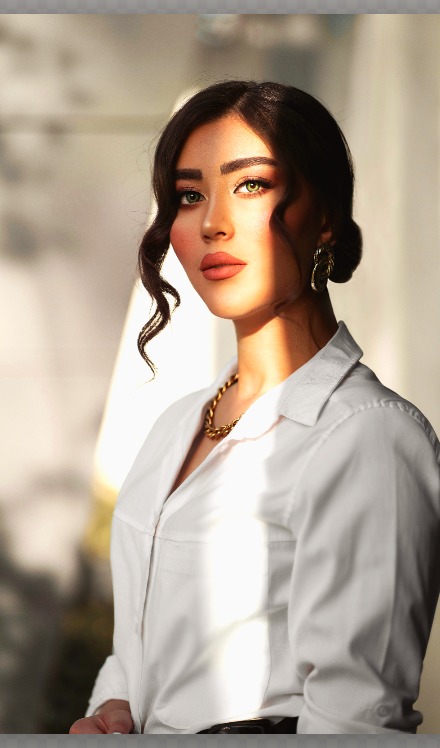
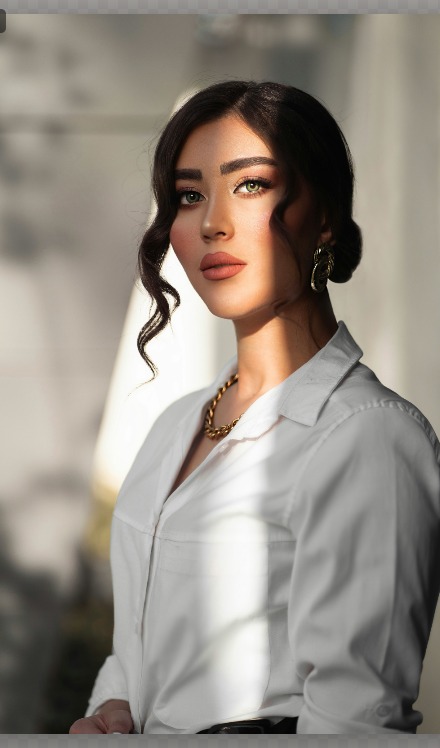 Before
After
Fine hair, soft edges, busy backdrops — Vista's segmentation handles the hard cases and hands you a clean cutout, ready to drop onto a new background or export with transparency.

Select anything in the frame — a passerby, a stray cable, a whole second person — and Magic Eraser fills the space back in, reconstructing the background as if it was never there.
Pick your subject and Vista keeps it razor sharp while the background falls into a smooth, natural disc-blur — the look of a fast portrait lens, ready for Stories and feeds.
A complete canvas underneath the AI — crop, curves, layers, text and brand kits — for when a photo needs a human touch.
1:1, 4:5, 9:16 and 16:9 presets, box select, click-to-select wand, pan, zoom and safe zones — with full undo history.
Full manual control over exposure, curves, HSL and sharpness whenever you want to push past the one-click result.
Original, black & white, warm and cool — starting points you can push further with the adjust panel.
Stack edits non-destructively, control opacity and blending, and combine with Remove Background for full composites.
Drop in your logo or watermark, add text templates, and keep a consistent brand kit across every export.
Save a crop, look and logo combo as a recipe, then apply it across a whole folder in one pass — skipping failures automatically.
Pick a layout or an occasion, then drag photos from your media bin onto each box. Vista fills the rest in.
Browse grid layouts from a clean two-up to a busy six-photo mosaic, or jump straight to an occasion — birthday, anniversary, wedding, Raksha Bandhan, best wishes — each with its own ready-made arrangement and title.
Every quick-start template already knows the exact dimensions the platform expects — an Instagram post at 1080×1080, a YouTube thumbnail at 1280×720, a LinkedIn update at 1200×627, a Story at 1080×1920. Pick one and start dragging photos in.

Every export target you actually need, with filename templating — and no EXIF data baked in.
Plus PNG, JPEG and WebP export, carousel splitting, and print-ready sizing. MP4 export is available in the Windows app.
Upcoming feature. A soundtrack for Make video is not in the app yet.
Why creators pick Vista
Open the editor, polish a frame, crop for Instagram, and export a creator pack — without creating an account. Legal details live in the EULA and Privacy Policy linked in the footer.
These are the real screens. Tick the steps in the full guide, or jump straight to the control named here.
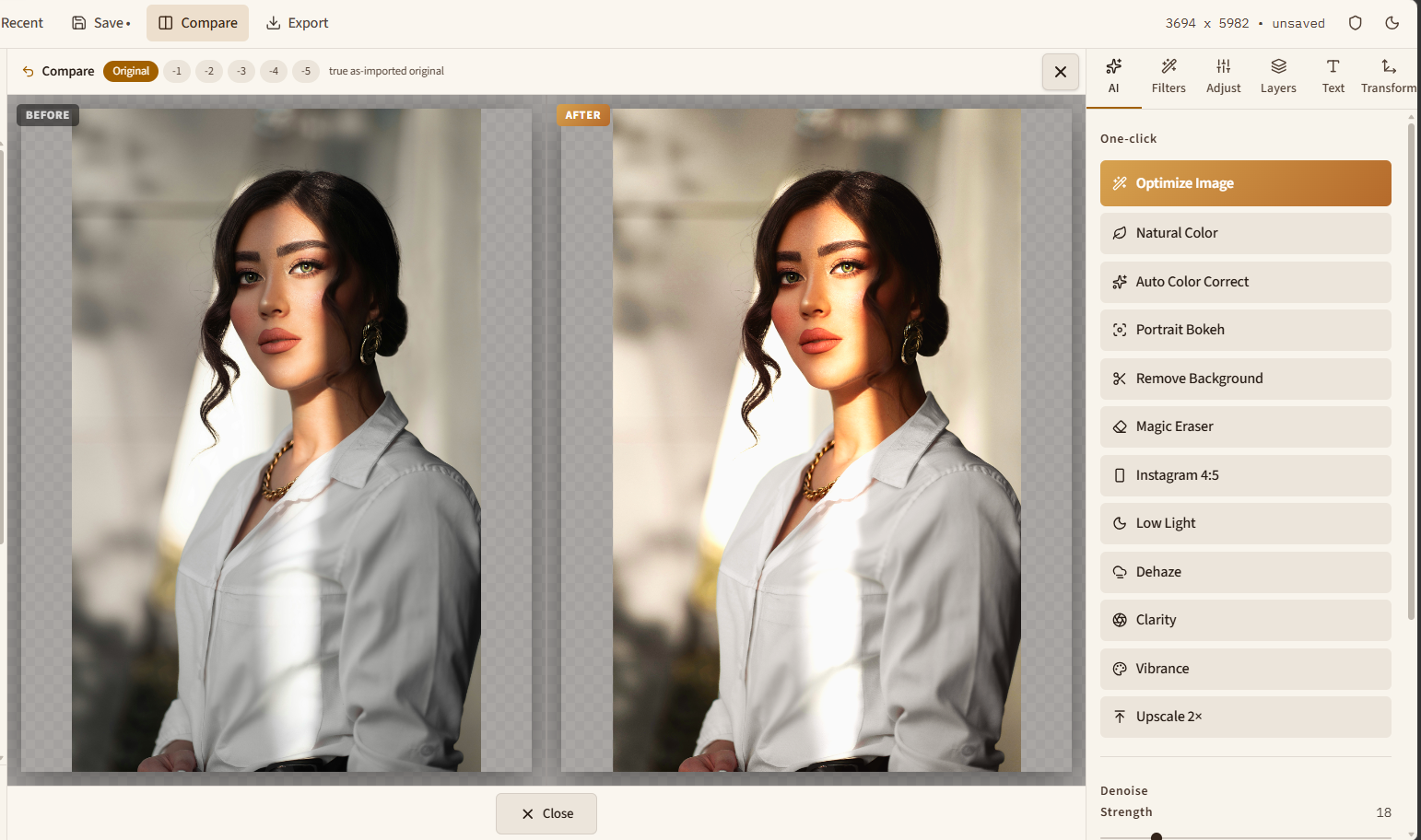
AI tab, gold button. One click grades light, colour, and sharpness. Compare shows the original beside it.
Leave Background at f/2 locked. Slide left for a bit more focus, right for a bit more blur, then click Portrait Bokeh.
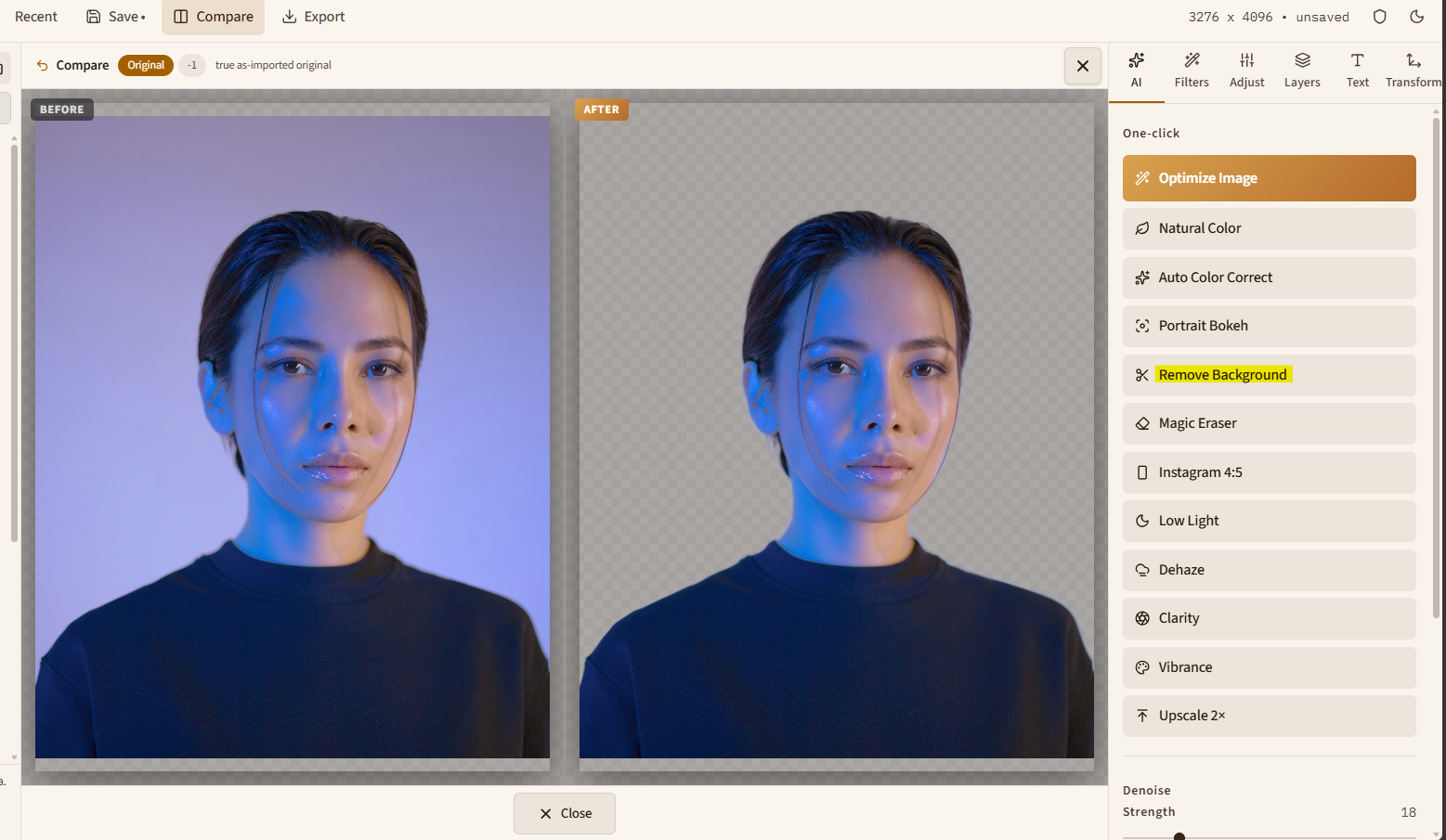
AI → Remove Background. The checkerboard means the backdrop is transparent. Export PNG to keep it.
Click the object, or press M and drag a box. The card says Filling the selection while the hole is filled on this device.
Tools → Templates. Layouts for two to six photos, plus Family, Birthday, Anniversary, Wedding, Raksha Bandhan, and Best Wishes.
Drag a thumbnail from Media onto a frame, or double-click to fill the next empty box.
Two minutes of your time. Tell us what’s working and what’s missing.
Prefer email? Reach us directly at thestreamic@gmail.com
Open the web app right now, or grab the Windows download — your photos never have to leave your machine.